Most people use AI like a search box: type a vague question, get a vague answer, and decide "AI is overrated". But the gap between a weak prompt and a good one is huge, and learning a handful of reusable prompts can easily give you back a few hours every week.
Below are 10 AI prompts with examples that you can copy, paste and adapt in ChatGPT, Claude, Gemini, Copilot or any other assistant. Each one covers a real job: studying, coding, blogging, emails, planning and research. Replace the [brackets] with your own details.
Heads up: I have not promised exact time savings, because they depend on you and the task. Treat these as strong starting points, and always check the output before you use it.
The simple formula behind every good prompt
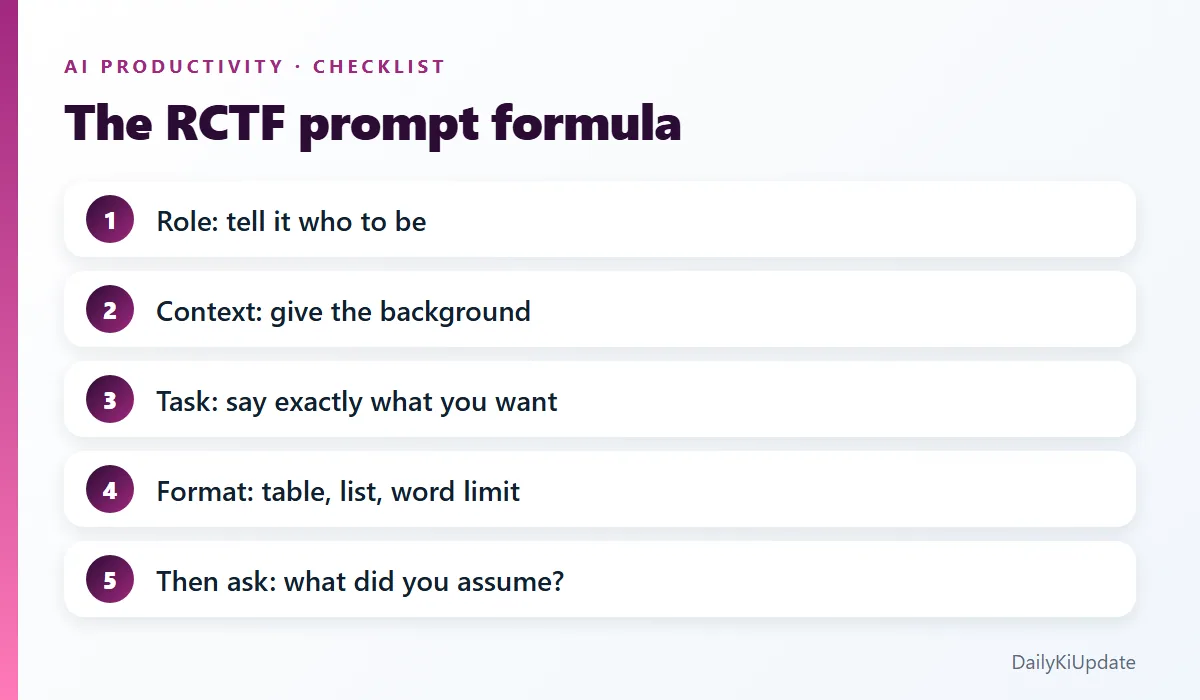
Before the prompts, here is the pattern they all follow. Call it RCTF:
- R – Role: who should the AI act as? ("You are a patient maths tutor.")
- C – Context: what is the situation? Audience, goal, background.
- T – Task: exactly what do you want done?
- F – Format: how should the answer look? Table, bullets, 150 words, step by step.
Compare these two:
Weak:   Help me study biology.

Better: You are a patient biology tutor. I am a Class 12 student with an
exam in 14 days on genetics. Make a day-by-day study plan, 90 minutes
a day, with one practice test every third day. Present it as a table.
Same AI, completely different usefulness. Now the prompts.
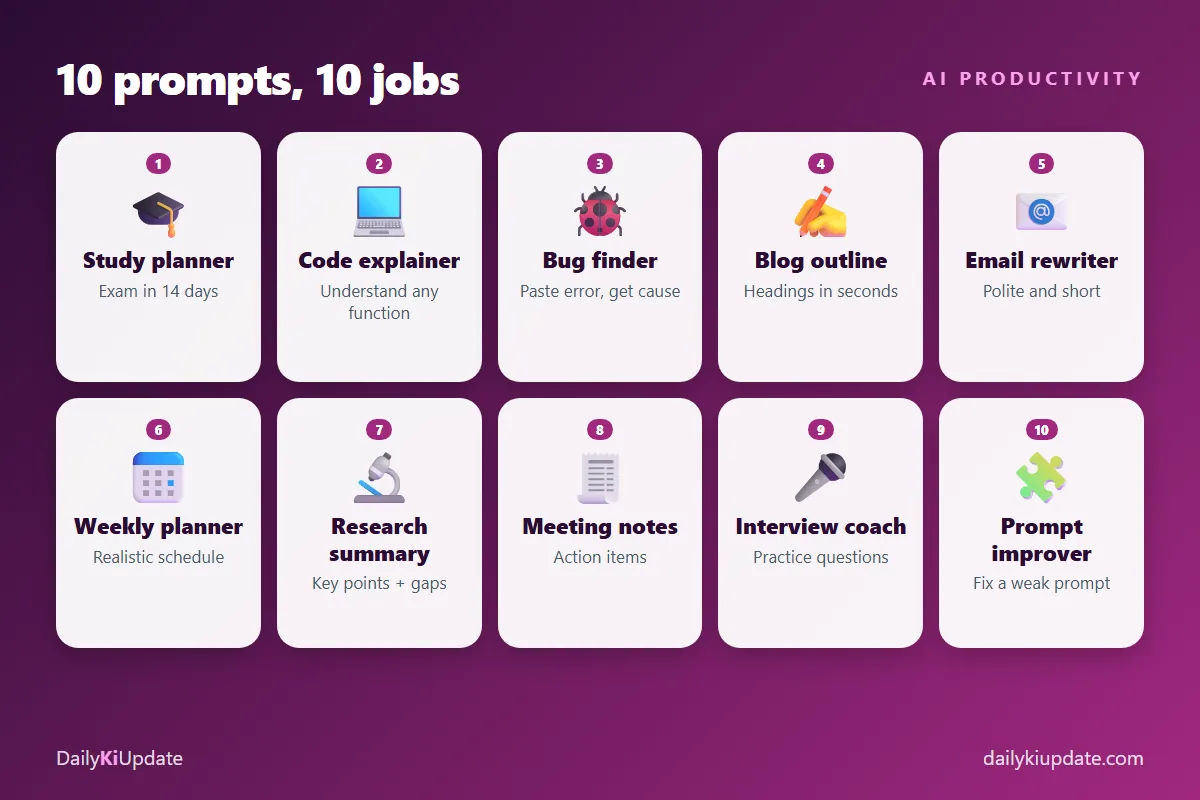
1. The study planner
Use it when an exam or deadline is coming and you do not know where to begin.
You are an expert study coach. I have an exam on [subject] in [number]
days. I can study [hours] hours per day. My weak topics are [topics].
Create a day-by-day plan with revision slots, short breaks and a
practice test every [3] days. Show it as a table and keep it realistic.
Pro tip: follow up with "Quiz me on day 1's topics, one question at a time, and tell me what I got wrong."
2. The code explainer
Use it to understand code you did not write, or an old function from six months ago.
Explain the following [language] code to a junior developer.
1) Give a one-sentence summary.
2) Walk through it line by line.
3) List any bugs, edge cases or security issues.
4) Suggest a cleaner version.

[paste code]
3. The bug finder
Use it when you are stuck on an error message.
I am getting this error in [framework/language, version]:

[paste full error message and stack trace]

Here is the relevant code:
[paste code]

What is the most likely cause? Give me the top 3 possible causes in
order of likelihood, and how I can confirm each one. Do not rewrite
everything, just show the smallest fix.
Pasting the full error and your versions matters. "It doesn't work" gets you guesses.
4. The blog outline builder
Use it to turn a topic into a clear structure before you write.
Act as an experienced content strategist. I want to write a blog post
titled "[title]" for [audience]. The main keyword is "[keyword]".
Create an outline with an engaging intro idea, 6 to 8 H2 headings,
2 to 3 key points under each, an FAQ section with 5 questions people
really search, and a short conclusion. Search intent: [informational].
Use the outline as a skeleton. Write the actual content in your own voice, with your own examples, because that is what makes a post worth reading. If you run a blog, our guide to free SEO tools for bloggers shows how to find the keyword first.
5. The email rewriter
Use it for emails you keep rereading before sending.
Rewrite this email to be polite, clear and under 120 words. Keep my
meaning. Tone: [professional but friendly]. The recipient is [role].
Give me two versions: one direct, one softer.

[paste draft]
Want a reply instead? Try: "Here is the email I received: [paste]. Write a reply that [accepts the meeting but proposes Thursday]."
6. The weekly planner
Use it on Sunday evening to stop Monday from taking you by surprise.
Help me plan my week. My fixed commitments: [list with times].
My top 3 priorities: [list]. I work best in the [morning].
I have about [x] free hours per day. Build a realistic schedule with
buffer time, and tell me what to drop if I run out of time.
The "what to drop" line is what makes the plan honest.
7. The research summariser
Use it to get through a long article or report quickly, without losing the important details.
Summarise the text below for someone who has 3 minutes.
Give me: (1) the main argument in two sentences, (2) five key points,
(3) any numbers or claims I should verify, (4) what is missing or
one-sided.

[paste text]
For information you will rely on, use a tool that shows sources, like Perplexity or NotebookLM. See our roundup of the best free AI tools in 2026.
8. The meeting-notes organiser
Use it right after a call, with your rough notes or a transcript.
Turn these rough notes into clean meeting minutes with: decisions made,
action items (owner and deadline), open questions, and a three-line
summary I can send in chat. If an owner or date is unclear, mark it
"TBC" instead of guessing.

[paste notes]
"Mark it TBC instead of guessing" is a good habit for any prompt where accuracy matters.
9. The interview coach
Use it to practise before a job interview or viva.
Act as a hiring manager interviewing me for a [job title] role at a
[type of company]. Ask me one question at a time. After each answer,
give feedback on clarity, specifics and confidence, then ask the next
question. Start with easy questions and get harder. Here is my
background: [short summary].
Answer out loud, if you can. It feels odd, but it works.
10. The prompt improver
When your prompt is not working, let the AI fix it.
Here is a prompt I wrote: "[your prompt]".
Rewrite it to get a better result. Add any missing context, ask me up
to 5 clarifying questions if needed, and suggest the best output format.
This is often the fastest way to learn what a good prompt looks like.
Five habits that make any prompt better
- Give examples. "Write in this style: [sample]" beats "write casually".
- Set limits. Word count, number of items, reading level.
- Ask for reasoning on hard problems. "Think step by step and show your assumptions."
- Iterate. Treat the first answer as a draft. Follow up with "shorter", "more specific", "give two alternatives".
- Ask what it assumed. "List any assumptions you made" catches silent mistakes.
Mistakes to avoid
- Pasting private data. Remove names, passwords, account numbers and confidential details first.
- Trusting facts blindly. AI can state wrong things confidently. Verify numbers, quotes, links and legal or medical advice.
- Publishing raw output. Edit and add your own experience. Generic AI text is easy to spot and rarely ranks.
- Prompting once and giving up. Most good results come on the second or third try.
Frequently asked questions
What is a prompt in AI?
A prompt is the instruction or question you give an AI assistant. The clearer and more specific it is, the better the answer.
Do these prompts work in ChatGPT, Claude and Gemini?
Yes. They are plain-language instructions, so they work with any modern AI assistant. Results vary a little by tool, so try the same prompt in two and compare.
How long should a prompt be?
As long as it needs to be. A few well-written sentences with context usually beat a single short line. You do not need a giant essay.
Will AI replace the need to learn the skill?
No. You still need to judge whether the answer is right. Use AI to speed up and to learn, not to avoid thinking.
Final thoughts
Pick two prompts from this list and use them this week. Save the ones that work in a notes app, with your own tweaks, so you build a personal prompt library. Over a month, it is one of the highest-value habits you can build.
Have a prompt that saves you time? Share it in the comments and help other readers.