A couple of years ago, "free AI" meant a chatbot that sometimes made things up. In 2026 it means a whole toolbox: assistants that write, research, summarise PDFs, generate images and help you code, all without paying a rupee or a dollar.
The catch is that there are now so many free options that choosing one feels like work. This guide cuts through it. Here are the 10 best free AI tools in 2026, what each one is genuinely good at, and where the free plan will stop you.
Last updated: October 2026. A quick warning before we start: AI companies change free limits and default models all the time, and different websites often quote different numbers. So instead of printing numbers that may be wrong next month, I describe how each limit behaves and link to the official page. Always check the pricing page for today's exact limits.
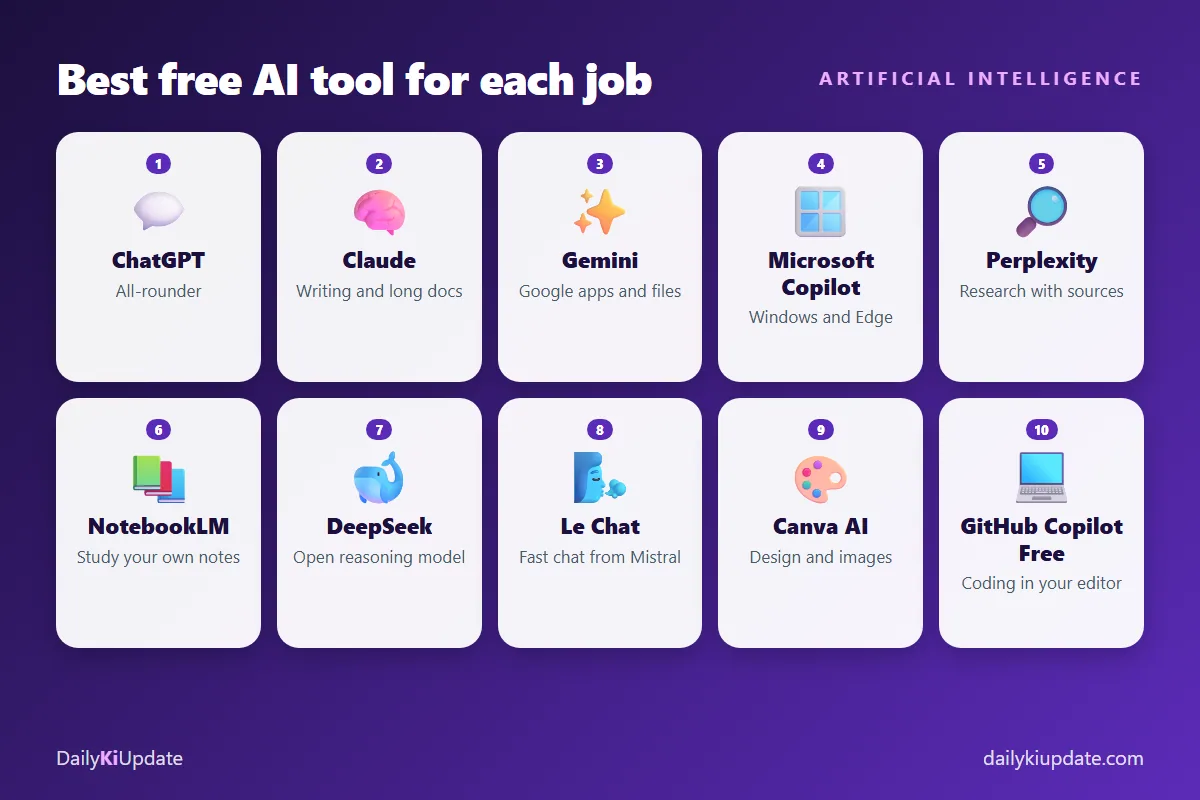
Quick answer: which free AI should you use?
- Just want one tool: start with ChatGPT or Gemini. Both are strong all-rounders.
- Writing and long documents: try Claude.
- Research with sources: Perplexity.
- Studying your own notes and PDFs: NotebookLM.
- Coding inside your editor: GitHub Copilot Free.
- Design and images: Canva or Adobe Firefly.
1. ChatGPT (OpenAI)
Best for: general questions, writing, brainstorming, explaining hard topics, quick coding help.
ChatGPT is still the one most people know, and the free plan is good enough for daily use. You get chat with a recent model, and you can usually upload files and use extras like image generation or web search with limits. When you hit the cap on the best model, it falls back to a smaller one rather than locking you out.
Watch out for: free limits on advanced features (image generation, file analysis, deep research) are tighter and change often. Free users can see slower replies at busy times.
2. Claude (Anthropic)
Best for: clear writing, summarising long documents, careful reasoning, coding explanations.
Claude is popular with writers and developers because its answers tend to be well structured and its context window is large, so you can paste a long report or a big chunk of code and ask questions about it. The free plan gives you a limited number of messages per rolling window. Longer conversations and bigger files use up that allowance faster.
Watch out for: the message cap is the main limit. If you work in long chats, start a fresh conversation for a new task to stretch it further.
3. Google Gemini
Best for: people who live in Google apps (Gmail, Docs, Drive, Android), multimodal tasks, summarising YouTube videos and files.
Gemini has the advantage of being built into the Google ecosystem. If you already use a Google account, it is one tap away on Android and the web. It handles text, images and documents, and it is good for "explain this screenshot" or "summarise this PDF" jobs. Its free limits are compute-based, so heavy use of the best model can send you to a lighter one for a while.
Watch out for: some of the best Workspace integrations need a paid Google plan.
4. Microsoft Copilot
Best for: Windows and Edge users, quick answers, simple image creation.
Copilot is built into Windows 11 and the Edge browser, so it is already on many PCs. It is easy to use for everyday questions and summaries. Deeper research tools and heavy usage are typically reserved for paid plans.
Watch out for: the experience differs between the consumer app, Windows and the Microsoft 365 version at work, so do not assume they all do the same thing.
5. Perplexity
Best for: research. It answers with citations, so you can click through to the source.
Perplexity works like a search engine that writes a short answer for you and shows where each claim came from. That makes it great for market research, product comparisons and checking facts. The free plan allows plenty of basic searches but only a small number of "Pro" searches per day.
Watch out for: always open the source. An AI summary of a page can still be wrong, so check anything important.
6. NotebookLM (Google)
Best for: students and researchers who want answers only from their own material.
You upload PDFs, notes, web links or YouTube links, and NotebookLM answers questions based on those sources, with references back to the original passage. It can also create study guides, FAQs and an audio-style overview of your documents. Because it sticks to your sources, it is far less likely to invent facts than a general chatbot.
Watch out for: there are limits on how many notebooks and sources you can add on the free plan.
7. DeepSeek
Best for: reasoning, maths and code, if you want an alternative to the big three.
DeepSeek gained attention for strong reasoning models that are cheap to run and often free to chat with. It is worth a try for step-by-step problem solving.
Watch out for: privacy. Think about where your data goes before you paste anything personal or work-related. Many companies restrict which AI services staff may use, so check your workplace rules.
8. Le Chat (Mistral)
Best for: a fast, simple assistant from a European AI lab.
Le Chat offers a free chat assistant with web search, document upload and image features. It is a good second opinion when another tool gives a doubtful answer.
Watch out for: fewer integrations than Google or Microsoft products, and the free plan has its own limits.
9. Canva (Magic Studio) and Adobe Firefly for images and design
Best for: social posts, thumbnails, presentations and AI images.
Not every useful AI tool is a chatbot. Canva's free plan includes some AI-assisted design features, and Adobe Firefly lets you generate images with a limited number of free credits. For bloggers and creators, these are often more useful than a text assistant. See our guide to free AI tools for YouTube videos, thumbnails and images for a full workflow.
Watch out for: some templates, premium assets and advanced AI features need a paid plan, and the licence terms for AI images differ per tool. Check them before commercial use.
10. GitHub Copilot Free
Best for: developers who want AI help inside VS Code or other editors.
GitHub offers a free Copilot plan with a monthly allowance of code completions and chat requests. It is enough to try AI-assisted coding on real projects. We compare it with other options in our article on the best free AI coding assistants for developers.
Watch out for: the monthly cap is easy to hit if you rely on chat all day.
Free AI tools compared at a glance
| Tool | Best for | Main free-plan limit |
|---|---|---|
| ChatGPT | All-round use | Caps on advanced features and best model |
| Claude | Writing, long documents | Message cap per time window |
| Gemini | Google apps, files | Compute-based limits |
| Microsoft Copilot | Windows, Edge | Heavy use and deep research are paid |
| Perplexity | Sourced research | Few Pro searches per day |
| NotebookLM | Your own sources | Notebook and source limits |
| DeepSeek | Reasoning and code | Busy servers; privacy considerations |
| Le Chat | Fast second opinion | Feature and usage caps |
| Canva / Firefly | Design and images | Credits and premium assets |
| GitHub Copilot Free | Coding | Monthly completions and chats |
How to get the most out of free plans
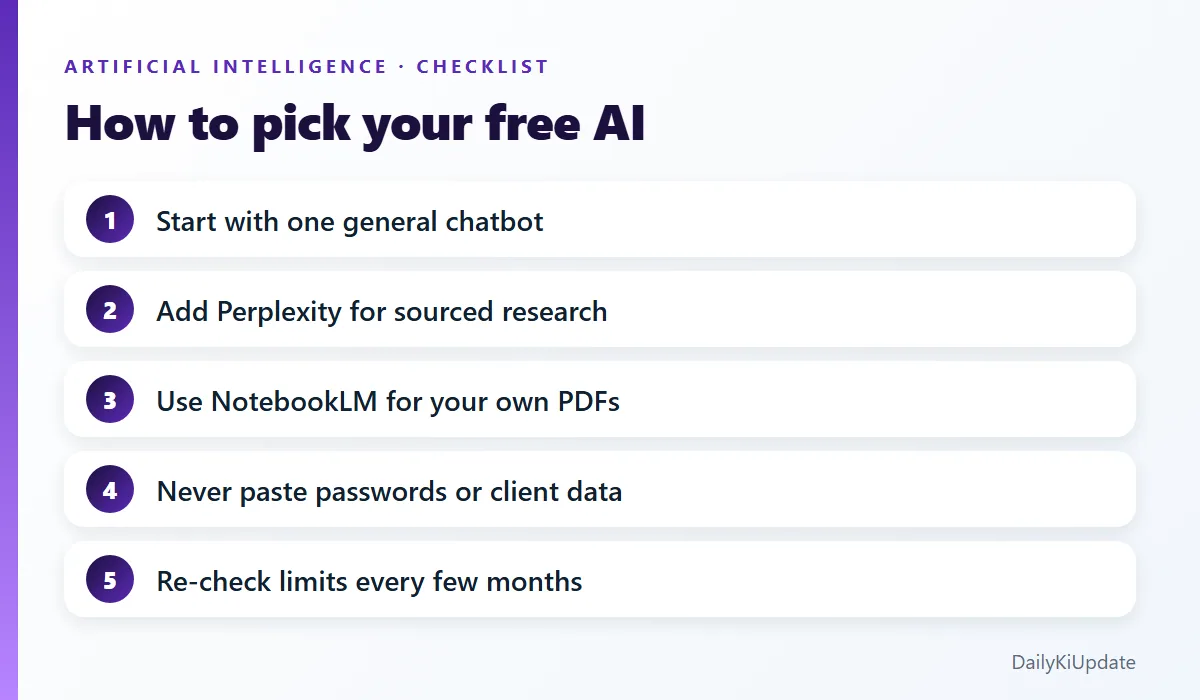
- Use different tools for different jobs. When one hits its limit, switch to another. This is the single best trick.
- Be specific. A clear prompt wastes fewer messages. Grab ready-made ones in our guide to AI prompts with examples.
- Start a new chat for new topics. Long chats burn through allowance and can confuse the model.
- Verify important facts. AI can sound confident and still be wrong. Check dates, numbers, legal and medical claims.
- Do not share sensitive data. Avoid passwords, ID numbers, bank details and confidential work files.
Free vs paid: when is it worth upgrading?
Stay on free if you use AI a few times a day for questions, drafts and summaries. Consider paying when you hit limits during your actual work, for example if you write every day, code for hours, or analyse many large files, and the time you lose to waiting costs more than the subscription. Try the free plans for a month first. You will quickly learn which tool you reach for.
Frequently asked questions
Which is the best free AI tool in 2026?
There is no single winner. ChatGPT and Gemini are the best all-rounders, Claude is great for writing, and Perplexity is best for research with sources.
Is ChatGPT free to use?
Yes, there is a free plan. Advanced features and the most capable models have limits, and OpenAI adjusts them from time to time, so check the current plan page.
Are free AI tools safe?
They are safe for everyday, non-sensitive tasks if you use official apps. Do not enter private or confidential information, and read each service's privacy settings, including options to turn off training on your chats where available.
Can I use free AI tools for my blog or business?
Usually yes, but read each tool's terms. Always edit AI drafts, add your own experience and fact-check them. Google rewards helpful content, not just generated text.
What is the best free AI for students?
NotebookLM for studying your own notes, plus a general assistant like ChatGPT, Gemini or Claude for explanations. Use them to understand ideas, not to skip the learning.
Final thoughts
The best approach in 2026 is not to find one perfect free AI tool. It is to build a small, free toolkit: one general assistant, one research tool, one for your own documents, and one for your specific work (coding or design). Try them on a real task this week and keep the ones that save you time.
Which free AI tool do you use most? Share it in the comments.