WhatsApp is the most used app in India, and so it is the most targeted. Most accounts are not hacked through clever technology. They are taken over because someone is tricked into sharing the 6-digit registration code, or because of weak settings that leave an account open to strangers. The ten settings below close the commonest doors.
Menu names change with app versions. Open Settings → Privacy (and Settings → Account) and look for the item named.
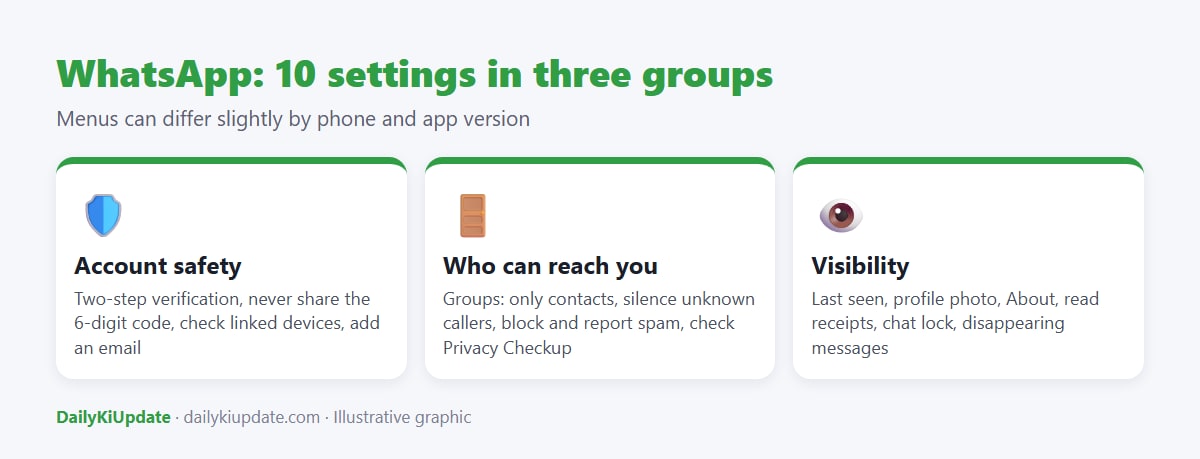
Account safety
1. Turn on two-step verification
Go to Settings → Account → Two-step verification → Enable. Create a 6-digit PIN that is different from your phone and UPI PIN, and add a recovery email. With this on, a scammer who gets your registration code still cannot register your number on another phone without the PIN.
2. Never share the 6-digit code
The registration code sent by SMS or call is only for you. No friend, relative, courier agent, bank officer or "WhatsApp support" will legitimately ask for it. A common trick is a message from a known contact's hacked account asking you to "forward the code I sent by mistake". Do not forward it.
3. Check linked devices
Go to Settings → Linked devices. Log out of any computer or phone you do not recognise. Scammers sometimes get victims to scan a QR code to "claim a prize", which links their device to your account.
4. Add a recovery email and keep your SIM safe
The email helps you reset your PIN if you forget it. Also keep your SIM protected with a PIN and block any lost SIM quickly. Our guide to checking the SIMs in your name shows how.
Who can reach you
5. Control who can add you to groups
Settings → Privacy → Groups → choose My contacts or My contacts except…. This stops strangers from adding you to investment, "part-time job" and loan-app groups, which are a common way to start a scam.
6. Silence unknown callers
Settings → Privacy → Calls → Silence unknown callers. Calls from numbers not in your contacts will not ring but will still appear in your call list. This protects you from the "video call from a stranger" blackmail trap.
7. Block and report
Open the chat, tap the name → Block → Report. Reporting sends the last messages to WhatsApp for review. If you have been defrauded, also report at cybercrime.gov.in or call 1930.
8. Run Privacy Checkup
WhatsApp offers a Privacy Checkup tool (Settings → Privacy → Privacy checkup) that walks you through the main settings. It is a quick way to confirm that the above are on.
Visibility and chat protection
9. Limit what strangers can see
Under Privacy, set Last seen and online, Profile photo, About and Status to My contacts. Consider turning off read receipts if you prefer. A public profile photo and number make it easy for scammers to impersonate you.
10. Use Chat lock and disappearing messages when needed
Chat lock lets you hide and lock specific chats behind your fingerprint or face. Disappearing messages automatically delete new messages after a time you choose. Both are useful for sensitive conversations. They do not stop someone from taking a screenshot.
What to do if your WhatsApp is hacked
- Reinstall WhatsApp and register your number again with the new SMS code. This logs the other person out.
- If a PIN is requested that you did not set, the attacker has enabled two-step verification. You may have to wait up to seven days to reset it, so contact WhatsApp support through the app.
- Warn your contacts and groups so they do not respond to money requests.
- Use WhatsApp's help centre or support form, and report cyber fraud at 1930. See the full steps in our account recovery guide.
Frequently asked questions
Can WhatsApp be hacked with only my number?
Not directly. Attackers need the registration code or access to your SIM or device, which is why the code should never be shared.
Is two-step verification the same as the SMS code?
No. The SMS code registers your number. Two-step verification adds your own PIN on top of it.
Can someone read my chats if I use WhatsApp Web?
Only if they can access your phone or an open web session. Log out from shared computers.
Are WhatsApp messages end-to-end encrypted?
Yes, personal messages and calls are end-to-end encrypted according to WhatsApp. This does not protect you from scams or from someone with access to your unlocked phone.
What is a "Meta verified" tick?
It is a paid verification badge. It does not make a message safe, so judge a message by its content and context.