You do not need an expensive bootcamp to learn to code. Some of the best learning resources in the world are completely free: full curricula, interactive exercises, official documentation and communities that will review your work.
The problem is not finding resources. It is choosing one and sticking with it. This guide covers the 10 best free websites to learn coding and build real projects, who each one suits, and a step-by-step roadmap so you know what to do first.
Last updated: October 2026. Course content, pricing and certificates change, so check each site for what is currently free.
First, decide what you want to build
"Learn to code" is too vague. Pick a goal, and the choice of language gets easy:
- Websites and web apps: HTML, CSS, JavaScript, then React or a similar framework.
- Data, automation and AI: Python.
- Android apps: Kotlin (or React Native/Flutter for cross-platform).
- Games: C# with Unity, or JavaScript for browser games.
If you are unsure, start with web development. You get visible results in the first hour, and you only need a browser and a text editor. A free editor like VS Code is ideal. See our guide to the best VS Code extensions once you are set up.
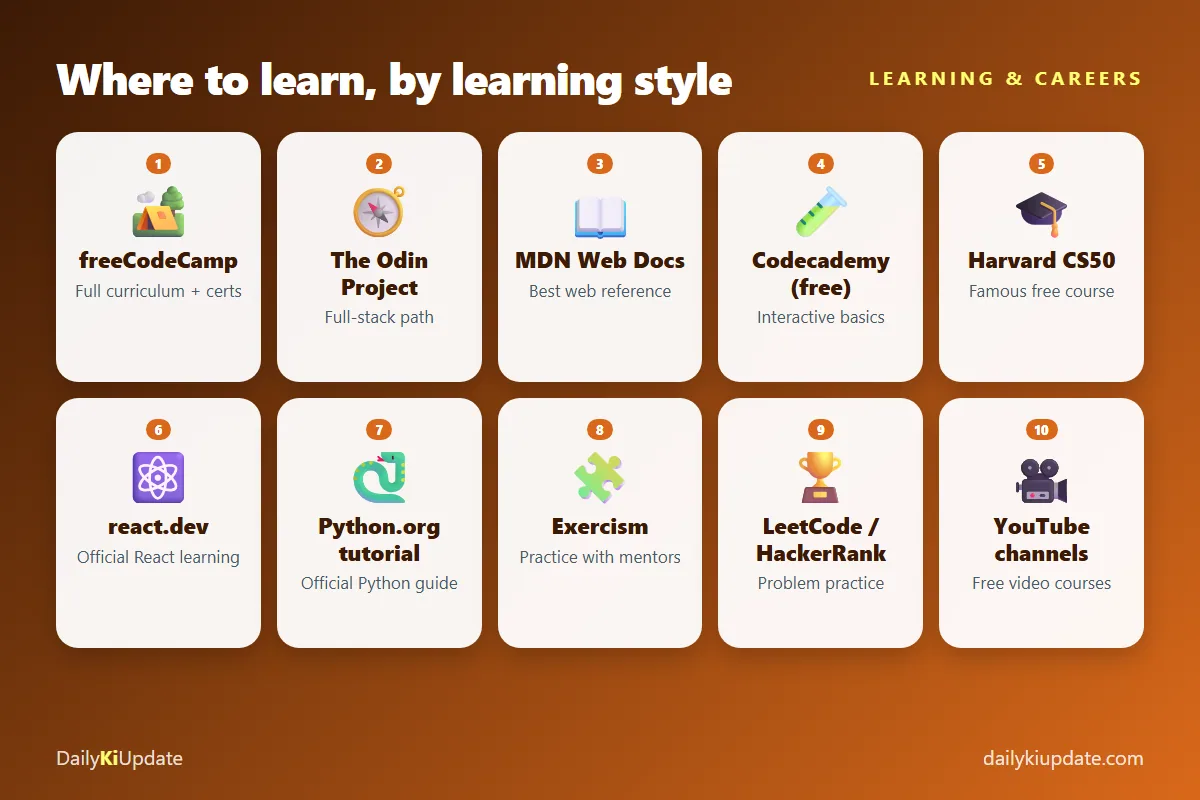
The 10 best free websites to learn coding
1. freeCodeCamp
Best for: a complete, structured path for beginners.
freeCodeCamp is a non-profit with a huge free curriculum: responsive web design, JavaScript, front-end libraries, back-end development, Python, data analysis and more. Lessons are interactive and built around practice and projects. It offers free certifications that require you to finish projects, which gives you things to show employers. It also has a large community forum and a YouTube channel with full-length courses.
2. The Odin Project
Best for: serious self-learners who want to become full-stack web developers.
The Odin Project is an open-source curriculum that points you to the best reading material and then makes you build real projects, with an active Discord community. It is less hand-held than other sites, which is a feature. It teaches you how to learn on your own, which is the skill that matters most.
3. MDN Web Docs
Best for: understanding how the web actually works.
MDN (from Mozilla) is the standard reference for HTML, CSS, JavaScript and web APIs, and it also includes a good "Learn web development" section for beginners. When a tutorial confuses you, look up the same thing on MDN. Learning to read documentation is a career-long skill.
4. Codecademy (free plan)
Best for: trying a language with instant feedback.
Codecademy teaches in the browser with short interactive lessons, so you can write code from minute one. The free plan covers introductory courses; some projects, quizzes, certificates and career paths are for paying members. It is a gentle on-ramp, but you will need other resources to go deeper.
5. Harvard CS50
Best for: learning computer science properly.
CS50 is Harvard's famous introduction to computer science, and the course is available free online, with lectures, problem sets and community support. It is challenging and covers C, Python, SQL and web programming. A verified certificate may cost money, but the learning itself is free. If you can finish CS50, you will have a very strong base.
6. react.dev (official React learning)
Best for: learning React the right way, once you know JavaScript.
The official React site has interactive tutorials and a clear explanation of modern concepts. Docs for most frameworks and languages are free and well written now, so check the official site before paying for a course.
7. The official Python tutorial and docs
Best for: Python beginners who want accurate, up-to-date information.
Python.org's tutorial walks you through the language from the basics. Pair it with free interactive practice from another site, because reading alone is not enough.
8. Exercism
Best for: practising a language and getting feedback.
Exercism offers exercises in dozens of languages, in your editor or on the web, with a community of volunteer mentors who give feedback on your solutions. It is a good place to practise after the basics, and to learn to write cleaner code.
9. LeetCode and HackerRank
Best for: problem solving and interview preparation.
These sites give you thousands of coding problems of increasing difficulty. Free plans cover a lot of problems. Do not start here as an absolute beginner. Come back once you are comfortable with a language and you are preparing for interviews.
10. YouTube
Best for: visual learners and filling gaps.
Many creators publish full-length free courses, and freeCodeCamp alone has hundreds of hours. The risk is "tutorial hell": watching passively without building. After every video, close it and build something similar from memory.
Comparison: which one should you start with?
| Site | Style | Best for |
|---|---|---|
| freeCodeCamp | Interactive curriculum | Absolute beginners |
| The Odin Project | Reading + projects | Full-stack web |
| MDN Web Docs | Documentation | Reference and understanding |
| Codecademy | Interactive lessons | Trying a language |
| CS50 | University course | Computer science foundations |
| react.dev | Official docs | React |
| Python.org | Official tutorial | Python |
| Exercism | Practice + mentors | Improving code quality |
| LeetCode / HackerRank | Problem sets | Interview prep |
| YouTube | Video | Visual learning |
A beginner roadmap (web development)
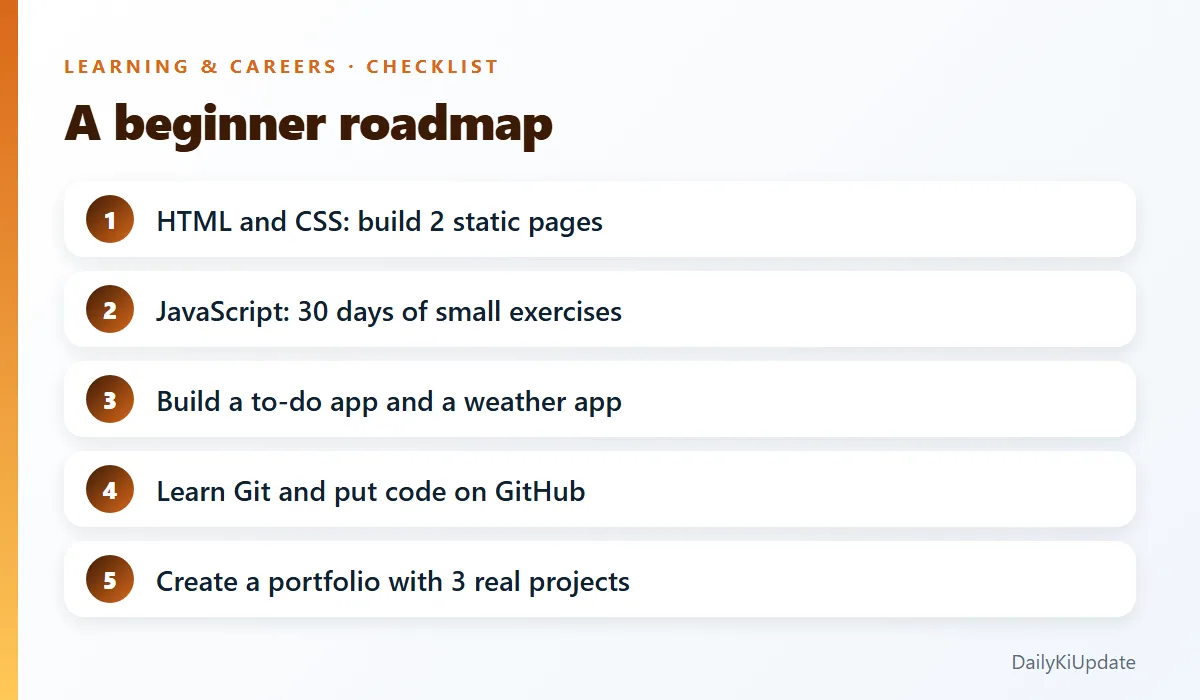
- Weeks 1 to 3: HTML and CSS. Build a personal page and a simple landing page. Learn Flexbox and Grid.
- Weeks 4 to 8: JavaScript basics. Variables, functions, arrays, objects, DOM manipulation, events. Do small exercises daily.
- Weeks 9 to 12: Projects. Build a to-do app, a calculator and a weather app using a free public API.
- Learn Git and GitHub. Commit your work, so you have a public record of progress.
- Then pick a direction: React for front-end, or Node.js and databases for back-end.
- Build a portfolio of three real projects, with short write-ups of what you learned and what you would improve.
The timeline depends on how many hours per week you can give. Consistency matters more than speed. Thirty to sixty focused minutes every day beat a ten-hour weekend binge.
Free project ideas to build
- Beginner: personal portfolio page, tip calculator, countdown timer, quiz app.
- Intermediate: expense tracker with local storage, recipe finder with a public API, Markdown notes app.
- Advanced beginner: a blog with user accounts, a small e-commerce cart, a chat app with real-time messages.
Choose projects you would use yourself. You will finish them.
Use AI as a tutor, not a crutch
AI assistants can explain error messages, review your code and generate practice questions. They can also do the work for you, which stops you from learning. A good rule: write the first attempt yourself, then ask for feedback. Our article on the best free AI coding assistants shows which tools to try, and our AI prompts with examples include a code-explainer prompt and a study planner.
Common beginner mistakes
- Tutorial hell. Watching without building. Start a project early.
- Switching languages constantly. Stick with one for at least three months.
- Skipping the basics to jump into frameworks.
- Copying code you do not understand. Type it, break it, fix it.
- Learning alone. Join a community, share your work and ask good questions.
- Quitting at the first wall. Everyone gets stuck. Debugging is the job.
Frequently asked questions
Can I learn coding for free?
Yes. Sites like freeCodeCamp, The Odin Project, MDN and CS50 provide serious, free education. Your cost is time and consistency.
Which programming language should a beginner learn first?
JavaScript if you want to build websites, and Python if you are interested in data, automation or AI. Either is a good first choice.
How long does it take to learn to code?
Basic skills can come in a few months of regular practice. Becoming job-ready usually takes longer, often a year or more, depending on your time and goals.
Do free certificates help get a job?
They show effort, but employers care more about projects, skills and how you explain your work. Use certificates as a bonus, not the main proof.
Do I need a powerful computer to learn coding?
No. Most beginner learning works on a basic laptop, and many sites run in the browser.
Final thoughts
Pick one site from this list, set a small daily goal and begin today. The best free website to learn coding is the one you actually use every day. In three months, you will be able to look back at projects you built yourself, and that is the best motivation there is.
Which site helped you most when you started? Tell us in the comments.