If you have ever searched through a drawer for a marksheet or photocopied the same Aadhaar for the tenth time, DigiLocker solves the problem. It is a free service from the Government of India's Ministry of Electronics and Information Technology that stores your official documents in the cloud and lets you share verified copies with a click.
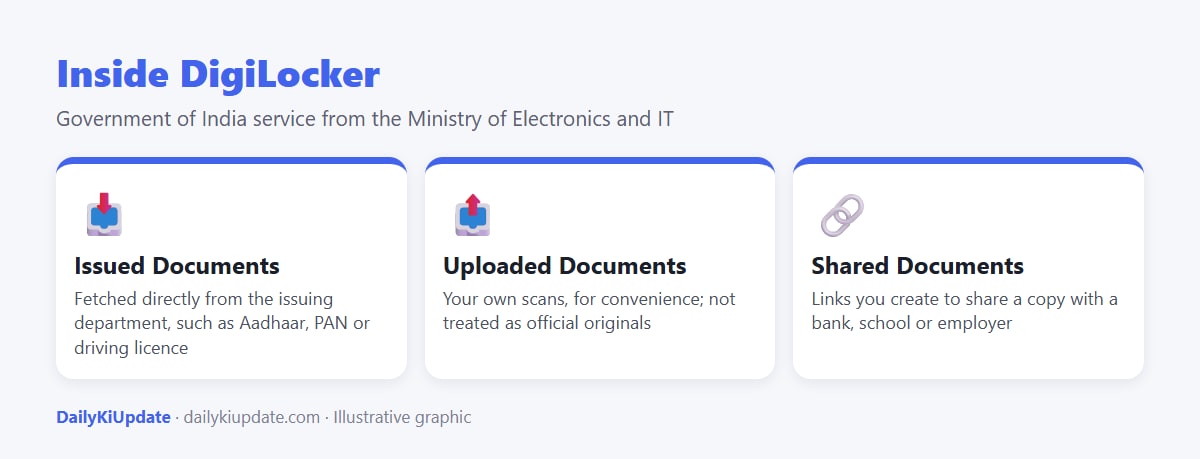
Documents that are issued to your DigiLocker by the issuing department, such as the Income Tax Department or the transport department, are treated as valid in the same way as the original, under the rules framed under the Information Technology Act. This guide shows how to set it up and use it safely.
Quick answer
- Sign up at digilocker.gov.in or in the DigiLocker app with your mobile number and Aadhaar-based verification.
- Set a 6-digit security PIN.
- Go to Issued Documents or Search Documents to fetch documents such as Aadhaar, PAN, driving licence, vehicle RC and many board and university certificates.
- Share a document with a link rather than a photograph or a printout, where the recipient accepts it.
Step-by-step: create your account
- Install the DigiLocker app from the Play Store or App Store (publisher: Government of India), or open the official website.
- Tap Sign Up, enter your name as per Aadhaar, date of birth, gender and mobile number.
- Choose a 6-digit security PIN and, if asked, an email address.
- Verify using the OTP and, where prompted, your Aadhaar number and the OTP sent to your Aadhaar-linked mobile number.
- Your account is ready. You may be asked to confirm your details periodically.
How to fetch common documents
| Document | How to get it |
|---|---|
| Aadhaar | Link Aadhaar during verification, then open Issued Documents or search for Aadhaar and enter the details |
| PAN card | Search for Income Tax Department, choose PAN Verification Record or PAN Card, and enter your PAN |
| Driving licence / RC | Search for your state transport department, choose Driving Licence or Registration of Vehicles and enter the number |
| Class 10 / 12 marksheets | Search CBSE or your state board, enter roll number and year |
| Insurance policies | Select your insurer if it is a partner, and enter the policy number |
Not every issuer is available, and some documents may not be fetchable if the data on the issuing side is missing or does not match. If a document does not appear, check the details you entered and try again later.
How to share a document
- Open the document in Issued Documents.
- Tap Share, and choose to share as a link or by email.
- Set an expiry for the link if available. The recipient can view the document and verify it with the issuing authority.
Where is DigiLocker accepted?
Many government departments, banks, telecom companies and educational institutions accept documents shared through DigiLocker, and it is also used to share documents for services such as KYC and exams. Some private organisations may still ask for a printout. If someone refuses a DigiLocker copy of a document issued through DigiLocker, you can show them the official guidance from MeitY or the Government order.
Safety tips
- Download the app only from the official store listing. Check that the publisher is the Government of India.
- Never share your security PIN or OTP, even with someone claiming to be from the helpline. Genuine officials will not ask for them.
- Do not use public computers. If you must, log out and clear the session afterwards.
- Set a screen lock on your phone and enable biometric lock in the app.
- Share a link with an expiry date whenever possible, instead of sending a PDF that can be forwarded.
- If you suspect your account is misused, report it through the DigiLocker support channels and change your PIN. For wider identity problems, also check your connections using Sanchar Saathi.
Frequently asked questions
Is DigiLocker safe?
It is an official Government of India service that uses OTP-based authentication and a security PIN. Safety also depends on how well you protect your phone and PIN.
Is a DigiLocker document valid as the original?
Documents issued by the issuing department into your DigiLocker are treated as valid under the IT rules. Documents you upload yourself are not treated the same way.
Is DigiLocker free?
Yes, for citizens.
Can I use DigiLocker without Aadhaar?
You usually need a mobile number and Aadhaar-based verification for the full set of features. Check the current sign-up options on the official site.
How much can I store?
There is a storage limit for uploaded documents. The limit has been revised over the years, so check the app for the current figure.