React Server Components Explained: What Actually Runs Where
If you've ever felt confused about which parts of a Next.js App Router application run on the server and which parts run in the browser, you're not alone.
React Server Components (RSC) introduced a different mental model for building React applications. It isn't simply a new API or another rendering technique. It changes how we think about the relationship between the server, browser, JavaScript bundles, data fetching, and component boundaries.
The simplest way to think about it is:
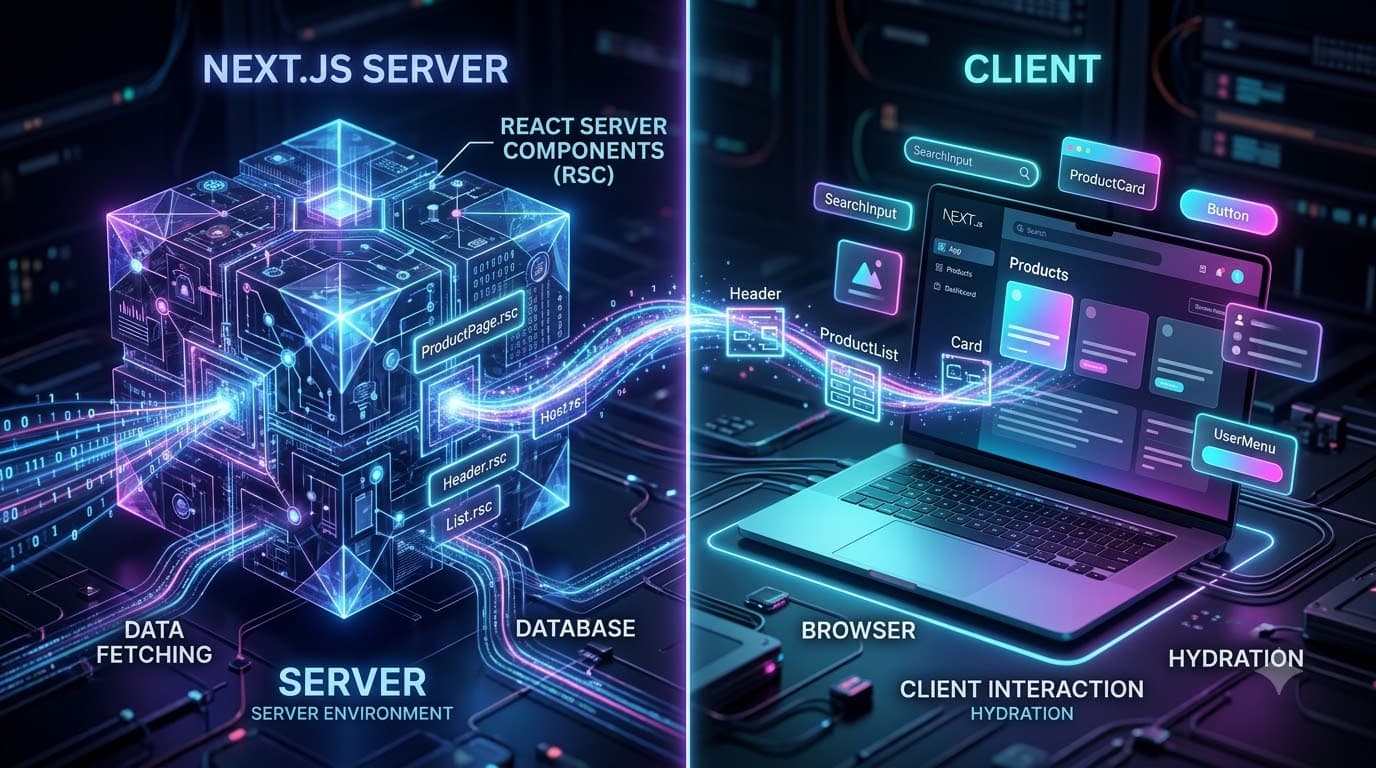
Your component tree can run in two environments: the server and the browser.
With the Next.js App Router, components are Server Components by default. You explicitly opt into browser-side execution when you need interactivity using "use client".
Let's break down what actually happens.
1. The Old Model: Everything Runs on the Client
Before React Server Components became common, a typical React application followed a simpler model.
You write a component:
import { useEffect, useState } from "react";

export default function Posts() {
  const [posts, setPosts] = useState([]);

  useEffect(() => {
    fetch("/api/posts")
      .then((res) => res.json())
      .then(setPosts);
  }, []);

  return (
    <ul>
      {posts.map((post) => (
        <li key={post.id}>{post.title}</li>
      ))}
    </ul>
  );
}
The component's JavaScript is sent to the browser.
The browser then:
Downloads JavaScript.
Executes React.
Runs
useEffect.Makes the API request.
Receives the data.
Updates state.
Renders the posts.
This works well, but there is a cost.
Every component that needs to run in the browser contributes to the client-side JavaScript bundle.
For large applications, that can mean:
More JavaScript → more downloading → more parsing → more execution → more work for the browser.
2. The New Model: Server Components by Default
The Next.js App Router changes this model.
Consider:
// app/posts/page.tsx

export default async function PostsPage() {
  const response = await fetch("https://api.example.com/posts");
  const posts = await response.json();

  return (
    <ul>
      {posts.map((post) => (
        <li key={post.id}>{post.title}</li>
      ))}
    </ul>
  );
}
Notice something important:
There is no "use client".
Therefore, this is a Server Component.
The component can execute on the server and fetch its data before the UI is sent to the browser.
Conceptually:
Browser
   │
   │ Request /posts
   ▼
Next.js Server
   │
   ├── Execute PostsPage
   ├── Fetch posts
   ├── Render component
   │
   ▼
Response
   │
   ▼
Browser
The browser receives the rendered result, but it does not need the JavaScript implementation of PostsPage to render those posts interactively.
3. What Does "Runs on the Server" Actually Mean?
A Server Component can execute in a server environment.
That means you can do things such as:
export default async function Dashboard() {
  const users = await getUsers();

  return (
    <div>
      <h1>Users</h1>

      {users.map((user) => (
        <div key={user.id}>{user.name}</div>
      ))}
    </div>
  );
}
You can also access server-side resources that shouldn't be exposed to the browser.
For example:
const data = await db.user.findMany();
The database query can happen on the server.
You don't need to expose database credentials to the browser.
This is one of the important architectural benefits of Server Components.
4. Server Components Don't Mean "HTML Only"
This is a common misunderstanding.
A Server Component isn't simply an old-fashioned server-rendered HTML template.
React Server Components use a protocol that allows React to describe the component tree and communicate the result between the server and client.
The important distinction is:
Server Component
       │
       ├── Executes on server
       ├── Can access server resources
       ├── Can fetch data
       └── Doesn't become client JavaScript
While:
Client Component
       │
       ├── Executes in browser
       ├── Can use state
       ├── Can use effects
       └── Can respond to user interaction
5. Opting Into the Client
Now suppose you want a button that changes when the user clicks it.
You need browser-side interactivity.
That's where "use client" comes in.
"use client";

import { useState } from "react";

export function LikeButton() {
  const [liked, setLiked] = useState(false);

  return (
    <button onClick={() => setLiked(!liked)}>
      {liked ? "Liked" : "Like"}
    </button>
  );
}
The "use client" directive tells React/Next.js:
This module belongs to the client-side part of the application.
Now the component can use:
useStateuseEffectevent handlers
browser APIs
client-side state
other client-only functionality
For example:
window.localStorage
or:
navigator.geolocation
These require a browser environment.
6. The Most Important Rule: The Client Boundary
This is probably the most important concept to understand.
When you write:
"use client";
you're creating a client boundary.
For example:
"use client";

import Header from "./Header";
import ProductList from "./ProductList";
The modules imported into this client module can become part of the client-side dependency graph.
Conceptually:
ClientComponent
      │
      ├── Header
      └── ProductList
If those components don't need to run on the client, unnecessarily importing them from the client boundary can increase the client bundle.
That's why you generally want to keep client boundaries small.
7. But Here's the Part That Confuses Everyone
A Server Component can be passed as children to a Client Component.
For example:
"use client";

export function Modal({
  children,
}: {
  children: React.ReactNode;
}) {
  return (
    <div className="modal">
      {children}
    </div>
  );
}
Now your Server Component can do this:
import { Modal } from "./Modal";
import { ServerContent } from "./ServerContent";

export default function Page() {
  return (
    <Modal>
      <ServerContent />
    </Modal>
  );
}
At first glance, you might think:
"Modal is a Client Component, so ServerContent must now be a Client Component too."
Not necessarily.
The important distinction is how the component enters the client boundary.
When ServerContent is provided as children, the server can render that content and provide it to the Client Component.
Conceptually:
                 SERVER
                   │
          ┌────────┴────────┐
          │                 │
     ServerContent       Client Modal
          │                 │
          └───────┬─────────┘
                  │
                Browser
This pattern is extremely useful for keeping interactive components small.
8. Server Component vs Client Component
Here's a practical comparison:
Feature | Server Component | Client Component |
|---|---|---|
Default in App Router | Yes | No |
Runs on server | Yes | Can participate in server rendering, but is also shipped for client execution |
Runs in browser | No | Yes |
| No | Yes |
| No | Yes |
| No | Yes |
Browser APIs | No | Yes |
Direct server data access | Yes | No |
Database access | Yes | No |
Client-side interactivity | No | Yes |
Ships component JS to browser | Generally no | Yes |
The key word is interactivity.
If a component doesn't need browser-side interaction, you should consider keeping it on the server.
9. Where Should Data Fetching Happen?
One of the biggest advantages of Server Components is that data fetching can happen close to where the data is actually needed.
For example:
export default async function ProductPage({
  params,
}: {
  params: Promise<{ id: string }>;
}) {
  const { id } = await params;

  const product = await getProduct(id);

  return (
    <div>
      <h1>{product.name}</h1>
      <p>{product.description}</p>
    </div>
  );
}
You don't necessarily need:
useEffect(() => {
  fetch(...)
}, []);
for every piece of server-owned data.
Instead:
Request
   ↓
Server Component
   ↓
Fetch data
   ↓
Render UI
   ↓
Browser
This can simplify application architecture significantly.
10. Does "use client" Mean "This Only Renders in the Browser"?
No.
This is another common misconception.
A Client Component can still be rendered as part of the initial server-rendered response.
The important distinction is that its client-side JavaScript is also included so that it can become interactive in the browser.
For example:
"use client";

export default function SearchBox() {
  return <input placeholder="Search..." />;
}
The initial UI can appear in the server-rendered page, but the browser also receives the JavaScript necessary for the component's client-side behavior.
So don't think:
Server Component = HTML
Client Component = browser-only HTML
A better mental model is:
Server Component
    ↓
Server execution
    ↓
No client JS for that component

Client Component
    ↓
Server rendering can participate
    ↓
+ client JS for interactivity
11. Think in Terms of Islands of Interactivity
A useful mental model is to imagine your application as a large server-rendered structure with small interactive islands.
For example, consider a blog page:
Blog Page
│
├── Header                 → Server
├── Article                → Server
├── Author Information     → Server
├── Related Posts          → Server
│
├── Like Button             → Client
├── Comment Form            → Client
└── Share Button            → Client
Most of the page doesn't need JavaScript.
Only the interactive pieces do.
This is the architecture that Server Components encourage.
12. Example: E-Commerce Product Page
Imagine an e-commerce product page.
You might have:
Product Page
│
├── Product Details         → Server
├── Product Description     → Server
├── Reviews                 → Server
├── Related Products        → Server
│
├── Image Gallery           → Client
├── Quantity Selector       → Client
└── Add To Cart             → Client
The product information can be fetched and rendered on the server.
The quantity selector needs state.
The add-to-cart button needs interaction.
So there's no reason to turn the entire product page into a Client Component.
Instead, keep the interactive parts small.
13. What Happens to the JavaScript Bundle?
This is where Server Components can provide a major architectural advantage.
Imagine a page containing:
100 components
Suppose only 10 need browser-side interactivity.
With a traditional client-heavy architecture:
100 components
      ↓
Client JavaScript
      ↓
Browser
With Server Components:
100 components
      │
      ├── 90 Server Components
      │       ↓
      │    Server
      │
      └── 10 Client Components
              ↓
          Browser JS
The goal isn't to eliminate JavaScript.
The goal is to send only the JavaScript that the browser actually needs for interactivity.
14. Common Mistake: Putting "use client" Everywhere
You may see code like this:
"use client";

export default function ProductPage() {
  return (
    <div>
      <h1>Product</h1>
      <p>Description</p>
    </div>
  );
}
But if the component doesn't need:
state
effects
event handlers
browser APIs
client-side libraries
then it may not need to be a Client Component.
A better approach is to keep the page on the server:
export default async function ProductPage() {
  const product = await getProduct();

  return (
    <div>
      <h1>{product.name}</h1>
      <p>{product.description}</p>

      <AddToCartButton productId={product.id} />
    </div>
  );
}
And isolate the interactive part:
"use client";

export function AddToCartButton({
  productId,
}: {
  productId: string;
}) {
  function handleAddToCart() {
    // client-side interaction
  }

  return (
    <button onClick={handleAddToCart}>
      Add to Cart
    </button>
  );
}
Now the client boundary is much smaller.
15. Can a Client Component Import a Server Component?
This is where you need to be careful.
A Client Component should not simply import a Server Component module and expect that Server Component to continue being a server-only component.
For example, avoid thinking of this as a normal component import:
"use client";

import ServerComponent from "./ServerComponent";
Instead, a common pattern is to pass server-rendered content through props such as children:
<ClientWrapper>
  <ServerComponent />
</ClientWrapper>
This preserves the separation between the server-rendered content and the client component.
16. Server Components Are Not a Replacement for Client Components
You still need Client Components.
For example:
Server
export default async function Dashboard() {
  const data = await getDashboardData();

  return (
    <div>
      <DashboardStats data={data} />
      <Filter />
    </div>
  );
}
Client
"use client";

import { useState } from "react";

export function Filter() {
  const [filter, setFilter] = useState("all");

  return (
    <select
      value={filter}
      onChange={(e) => setFilter(e.target.value)}
    >
      <option value="all">All</option>
      <option value="active">Active</option>
      <option value="inactive">Inactive</option>
    </select>
  );
}
The two environments work together.
That's the important idea.
17. A Simple Mental Model
When deciding whether something should be a Server or Client Component, ask one question:
Does this component need to run in the browser?
If the answer is no, keep it on the server when practical.
If the answer is yes, use "use client".
Server Component
Use it for:
Data fetching
Database access
Static content
SEO-oriented content
Server-side computation
Accessing server-only resources
Client Component
Use it for:
useStateuseEffectClick handlers
Forms requiring client state
Browser APIs
Interactive UI
Client-side subscriptions
18. The Architecture to Remember
Think about a Next.js application like this:
                    NEXT.JS APPLICATION
                           │
                           ▼
                    Server Component Tree
                           │
             ┌─────────────┴─────────────┐
             │                           │
       Server Components          Client Components
             │                           │
       Data fetching                 Interactivity
       DB access                     useState
       Static UI                     useEffect
       SEO content                   Events
             │                           │
             │                           ▼
             │                    Browser JavaScript
             │
             ▼
       Server-rendered result
The component tree isn't simply:
Server OR Client
It's:
Server
  +
Client
  +
Clear boundaries
19. The Biggest Mental Shift
The biggest change with React Server Components is this:
Old mental model
"React components run in the browser unless I do something special."
New mental model
"Components are server-first, and I explicitly introduce client-side JavaScript where interaction requires it."
That is the fundamental shift.
Instead of asking:
"How do I make this component work on the server?"
start asking:
"Does this component actually need to run on the client?"
That question will often lead to a simpler architecture.
20. Final Takeaway
React Server Components aren't about completely eliminating client-side React.
They're about moving as much work as possible away from the browser while keeping interactive parts where they belong.
A good Next.js App Router application often looks like:
                    PAGE
                     │
       ┌─────────────┴─────────────┐
       │                           │
   SERVER                         CLIENT
   COMPONENTS                     COMPONENTS
       │                           │
   Data fetching                 useState
   Database                      useEffect
   SEO                           Events
   Static UI                     Browser APIs
       │                           │
       └─────────────┬─────────────┘
                     │
                  Browser
The goal isn't:
"Use Server Components everywhere."
The goal is:
"Keep the server-rendered tree as large as practical, and push client-side interactivity toward the leaves."
Once you understand that boundary, the Next.js App Router becomes much easier to reason about.
Server Components handle the data and structure. Client Components handle the interaction.
That's the mental model worth remembering.