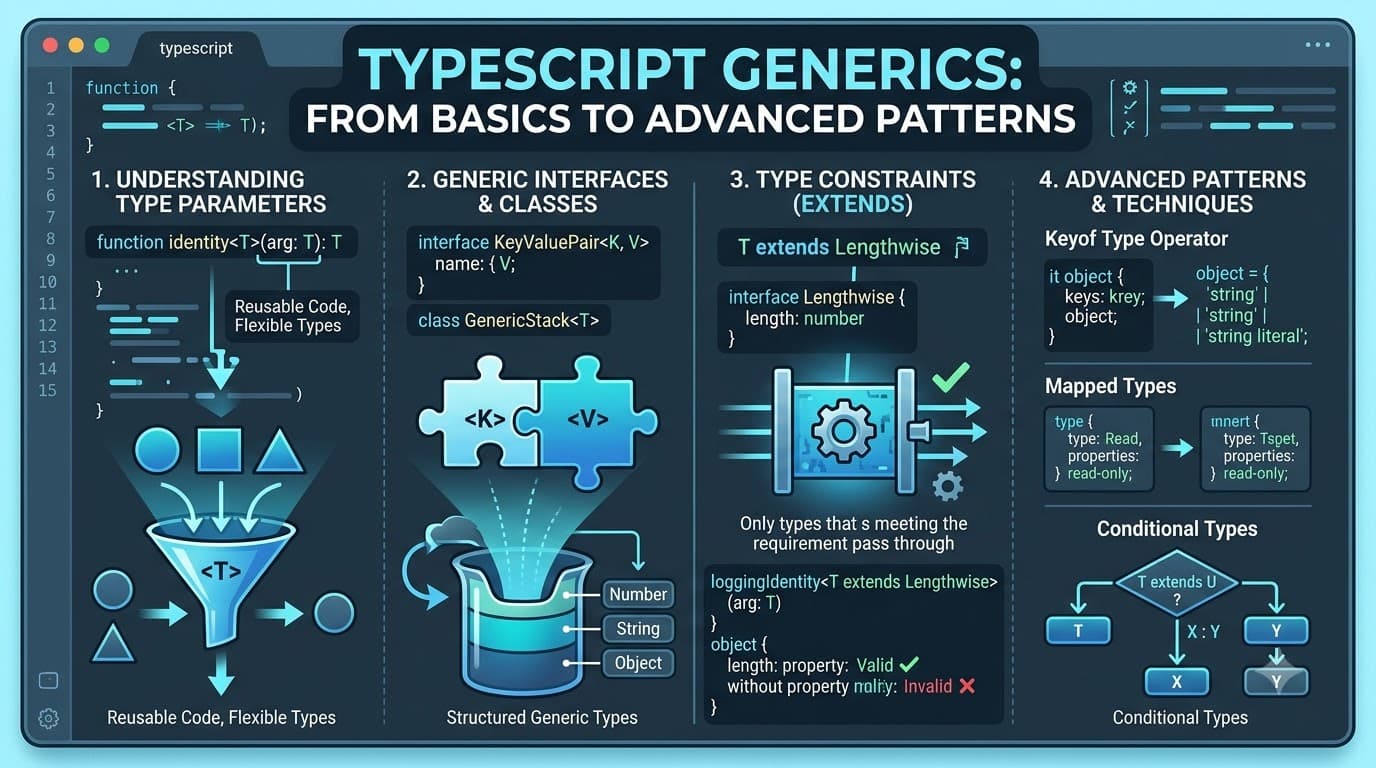
Mastering TypeScript Generics: From Basics to Advanced Patterns
TypeScript generics are one of the most powerful features of the TypeScript type system. They allow developers to create reusable functions, interfaces, components, and utilities while preserving strong type safety and type inference.
Generics can look complicated when you first encounter syntax such as <T>, extends, infer, and conditional types. But the core idea is simple:
Write reusable code once while allowing TypeScript to preserve the specific type being used.
This guide explains TypeScript generics from the basics to advanced patterns that are commonly useful in production applications.
What Are TypeScript Generics?
Generics allow you to create code that works with different types without losing information about those types.
Consider two functions without generics:
function firstString(arr: string[]): string {
  return arr[0];
}

function firstNumber(arr: number[]): number {
  return arr[0];
}
Both functions perform essentially the same operation. The only difference is the type they work with.
Generics allow us to write this logic once:
function first<T>(arr: T[]): T {
  return arr[0];
}

const a = first([1, 2, 3]);       // number
const b = first(["x", "y", "z"]); // string
Here, T is a type parameter.
TypeScript determines the value of T from the argument passed to the function.
For the first call:
first([1, 2, 3]);
TypeScript infers:
T = number
For the second call:
first(["x", "y", "z"]);
TypeScript infers:
T = string
This means the type parameter effectively flows through the function from the input to the output.
Why Do Generics Exist?
Without generics, developers often have to duplicate functions or interfaces for different data types.
For example:
function getString(value: string): string {
  return value;
}

function getNumber(value: number): number {
  return value;
}

function getBoolean(value: boolean): boolean {
  return value;
}
With a generic function, the same behavior can be expressed once:
function identity<T>(value: T): T {
  return value;
}

const name = identity("Rajendra"); // string
const age = identity(30);          // number
const active = identity(true);     // boolean
The function remains reusable while TypeScript keeps track of the exact type.
This is one of the biggest benefits of generics:
They reduce duplication without sacrificing type information.
Generic Interfaces
Generics aren't limited to functions. They are also useful when defining reusable interfaces.
For example, an API response might contain different types of data:
interface ApiResponse<T> {
  data: T;
  status: number;
}
You can now use the same interface with different data structures:
const userResponse: ApiResponse<{
  id: string;
  name: string;
}> = {
  data: {
    id: "1",
    name: "Rajendra",
  },
  status: 200,
};
And another API could return an array:
const usersResponse: ApiResponse<
  {
    id: string;
    name: string;
  }[]
> = {
  data: [
    {
      id: "1",
      name: "Rajendra",
    },
  ],
  status: 200,
};
The response structure stays consistent while the data type changes.
Generic Defaults
Generic type parameters can also have default types.
interface ApiResponse<T = unknown> {
  data: T;
  status: number;
}
Now you can use ApiResponse without explicitly providing a type:
const response: ApiResponse = {
  data: "anything",
  status: 200,
};
The default type is unknown.
You can still provide a specific type when you know what the API returns:
const typedResponse: ApiResponse<{ userId: string }> = {
  data: {
    userId: "1",
  },
  status: 200,
};
Generic defaults are particularly useful for reusable libraries, API clients, and utility types.
Constraining Generic Types With extends
An unconstrained generic can represent almost any type.
Sometimes that's too permissive.
Suppose you want a function that searches for an object by its id.
You can define a common constraint:
interface HasId {
  id: string;
}
Then constrain the generic type:
function findById<T extends HasId>(
  items: T[],
  id: string
): T | undefined {
  return items.find((item) => item.id === id);
}
Now TypeScript requires every item to contain an id property.
For example:
interface User {
  id: string;
  name: string;
}

const users: User[] = [
  {
    id: "1",
    name: "Rajendra",
  },
];

const user = findById(users, "1");
The important part is that the return type is still User | undefined, not merely HasId | undefined.
The generic preserves the more specific type.
Multiple Generic Parameters
A function can have more than one generic type parameter.
For example:
function pair<T, U>(first: T, second: U) {
  return {
    first,
    second,
  };
}

const result = pair("Rajendra", 30);
TypeScript infers:
{
  first: string;
  second: number;
}
Multiple generic parameters are useful when the relationship between multiple inputs and outputs needs to be preserved.
Generics With keyof
The keyof operator becomes especially powerful when combined with generics.
Consider:
function getProperty<T, K extends keyof T>(
  object: T,
  key: K
): T[K] {
  return object[key];
}
Now TypeScript knows that the supplied key must actually exist on the object.
For example:
const user = {
  id: "1",
  name: "Rajendra",
  age: 30,
};

const name = getProperty(user, "name");
const age = getProperty(user, "age");
TypeScript can infer:
name // string
age  // number
But this would produce a type error:
getProperty(user, "email");
because email is not a key of the user object.
This pattern is widely useful for reusable object utilities.
Conditional Types: An Advanced Generic Pattern
Conditional types allow TypeScript to make decisions based on types.
The basic syntax looks similar to a JavaScript ternary operator:
T extends U ? X : Y
For example:
type IsArray<T> =
  T extends unknown[]
    ? true
    : false;
Now:
type A = IsArray<string[]>; // true
type B = IsArray<string>;   // false
The type system is effectively asking:
Does T extend an array type?
If yes, it returns true; otherwise, it returns false.
Using infer With Conditional Types
The infer keyword allows TypeScript to extract a type from another type.
For example, consider a Promise:
type UnwrapPromise<T> =
  T extends Promise<infer U>
    ? U
    : T;
Now:
type X = UnwrapPromise<Promise<number>>;
The resulting type is:
number
And:
type Y = UnwrapPromise<string>;
produces:
string
The infer U part tells TypeScript to infer the type contained inside the Promise.
Generics Behind TypeScript Utility Types
Many built-in TypeScript utility types use generic and conditional-type concepts.
For example, ReturnType<T> extracts the return type of a function.
Conceptually, it can be represented like this:
type MyReturnType<T> =
  T extends (...args: any[]) => infer R
    ? R
    : never;
Given:
function getUser() {
  return {
    id: "1",
    name: "Rajendra",
  };
}
You can extract its return type:
type User = ReturnType<typeof getUser>;
The resulting type is equivalent to:
{
  id: string;
  name: string;
}
Understanding generics, conditional types, and infer makes TypeScript's built-in utility types much easier to understand.
Generics in React and Next.js
Generics are particularly useful in modern React and Next.js applications.
For example, a reusable data table could accept different row types:
interface DataTableProps<T> {
  rows: T[];
  renderRow: (row: T) => React.ReactNode;
}
A user table can then provide its own type:
interface User {
  id: string;
  name: string;
}

const users: User[] = [
  {
    id: "1",
    name: "Rajendra",
  },
];
The component can work with User while remaining reusable for other data types.
The same concept can be useful for:
API response wrappers
Custom React hooks
Form utilities
Data tables
Reusable UI components
State containers
Validation utilities
API clients
Repository patterns
Generics With Custom Hooks
A reusable React hook can also use generics.
For example:
function useData<T>(data: T[]) {
  return {
    data,
    count: data.length,
  };
}
When called with users:
const result = useData<User>(users);
The returned data remains strongly typed as User[].
This allows a single hook to support many different data structures without falling back to any.
Generic Constraints vs unknown
It's important to understand that generics aren't always the correct solution.
Consider a function that simply accepts unknown data:
function logValue(value: unknown) {
  console.log(value);
}
You don't need a generic if you don't need to preserve the relationship between the input and output.
A generic is more useful when the type relationship matters:
function identity<T>(value: T): T {
  return value;
}
Here, the output type depends directly on the input type.
This distinction helps prevent unnecessary generic complexity.
When Should You Use Generics?
A generic is often a good choice when:
You are duplicating similar code
If multiple functions or interfaces differ only in their types, a generic may remove the duplication.
The return type depends on the input
For example:
function first<T>(items: T[]): T {
  return items[0];
}
The output type depends on the array's element type.
You're building reusable utilities
Generics are useful for:
Data-fetching hooks
API clients
Validation functions
State containers
Reusable components
Utility functions
You need to preserve type information
Generics allow TypeScript to carry specific type information through a function or component instead of replacing it with a broad type.
When Should You Avoid Generics?
Generics are powerful, but more type-level complexity isn't always better.
Avoid introducing a generic when a simpler type is sufficient.
For example, if a function genuinely accepts any unknown value and doesn't need to preserve its type relationship:
function logValue(value: unknown) {
  console.log(value);
}
may be clearer than:
function logValue<T>(value: T) {
  console.log(value);
}
Likewise, a simple union can sometimes be easier to understand:
type Status = "loading" | "success" | "error";
The goal isn't to use generics everywhere.
The goal is to use them when they make the relationship between types clearer and reduce unnecessary duplication.
Common Mistakes With TypeScript Generics
Using any Instead of a Generic
This removes valuable type information:
function identity(value: any): any {
  return value;
}
A generic preserves the relationship:
function identity<T>(value: T): T {
  return value;
}
Adding Generics That Don't Provide Value
Not every function needs <T>.
If the generic doesn't establish a useful relationship between inputs and outputs, it may simply make the code harder to read.
Overcomplicating Types
Advanced conditional types can become difficult for other developers to understand.
Prefer straightforward types when they solve the problem adequately.
Practical Rule of Thumb
Consider reaching for a generic when:
You're duplicating a function or interface with only the type changed.
You want the return type to depend on the input type.
You're creating reusable utilities.
You're building generic React components or hooks.
You need to preserve specific type information through an operation.
Consider using unknown, unions, or simpler types when they solve the problem just as effectively.
The best TypeScript code isn't necessarily the code with the most advanced types.
It's the code that provides useful type safety while remaining understandable.
Final Takeaway
TypeScript generics are primarily about reusability and preserving type relationships.
Start with simple generic functions:
function identity<T>(value: T): T {
  return value;
}
Then learn constraints:
function findById<T extends HasId>(items: T[], id: string) {
  return items.find((item) => item.id === id);
}
Once those concepts are comfortable, explore keyof, conditional types, and infer.
The goal isn't to make every piece of code generic. Instead, recognize situations where the same logic needs to work with different types while keeping TypeScript's precise inference.
Once that pattern becomes familiar, you'll start seeing opportunities to remove duplicated code without giving up type safety.